
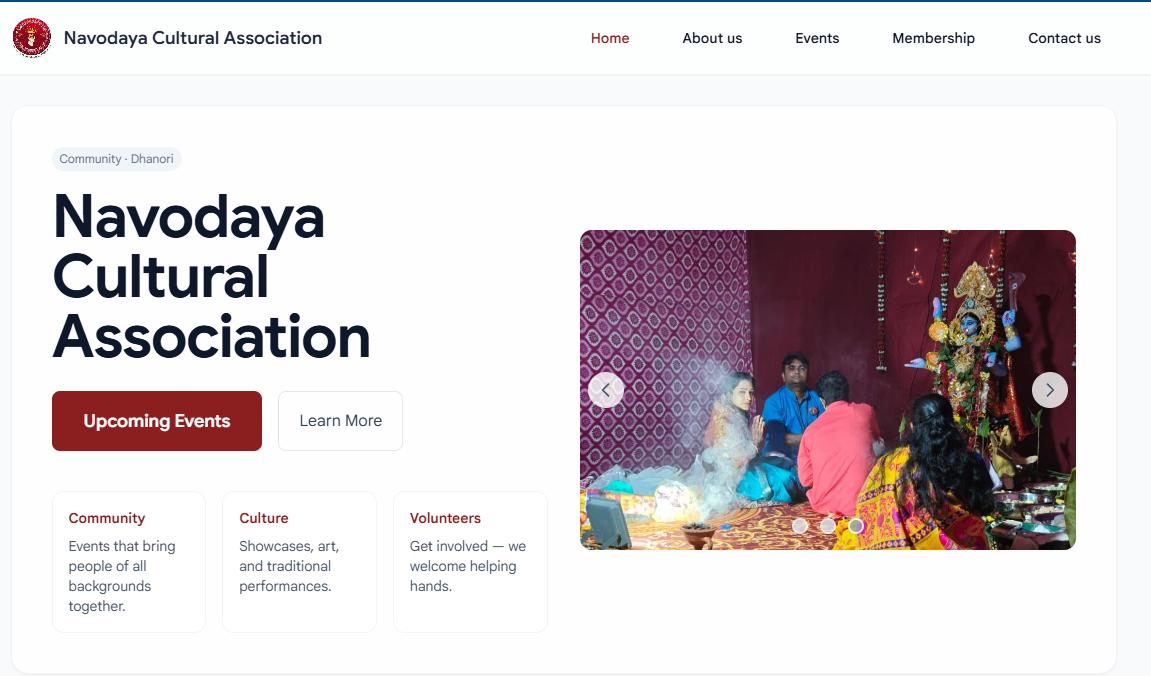

Welcome to our website, the official website of NCA Dhanori. To make the registration process simple and hassle-free, we’ve created this step-by-step guide just for you. This article will walk you through each stage of registration, helping you avoid common mistakes and complete your application with ease.
Registration Process:
Please visit the membership page Membership – Navodaya Cultural Association
Once you are on the page you will see a form with Login and Registration tab. You have to come to the registration tab and enter your details.
Please note, you have to enter a valid email id which you can access.
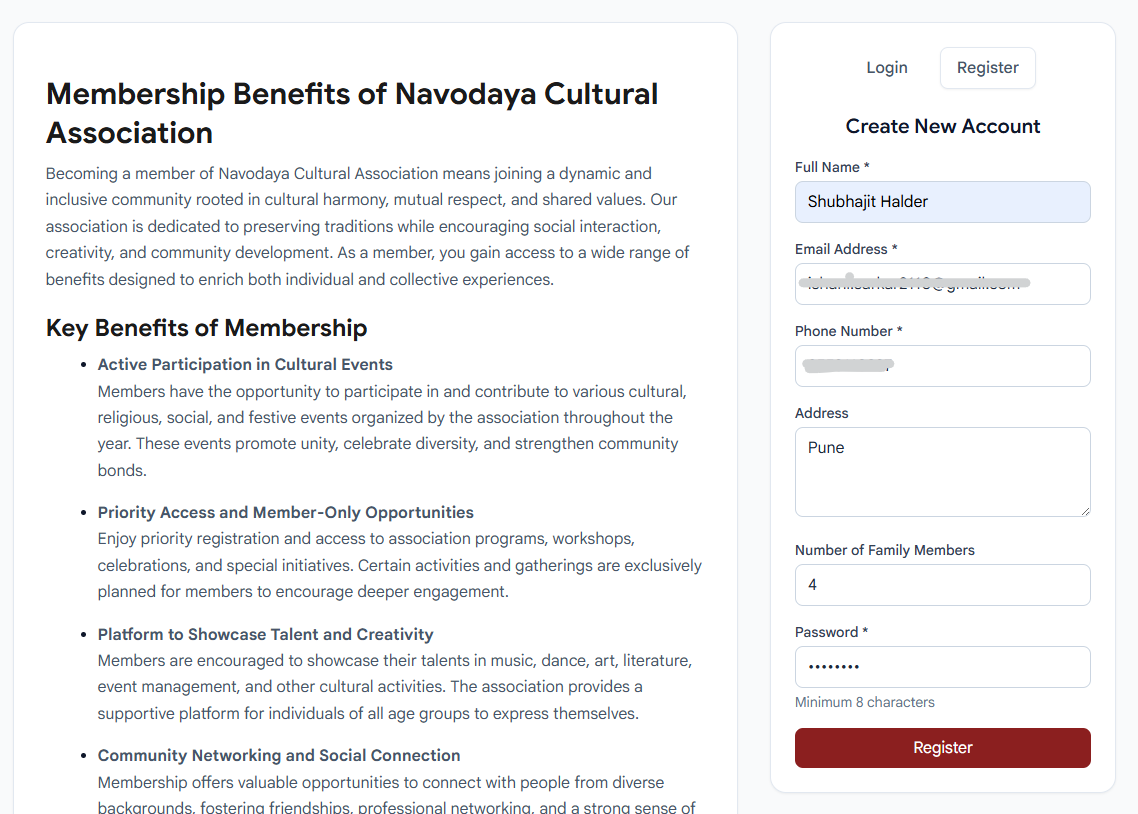
After clicking on the red register button you will see a message like this
Almost there! A verification email has been sent to your registered email address. Please click the link in the email to activate your account.
Now go to your registered email id and you should see a email like this
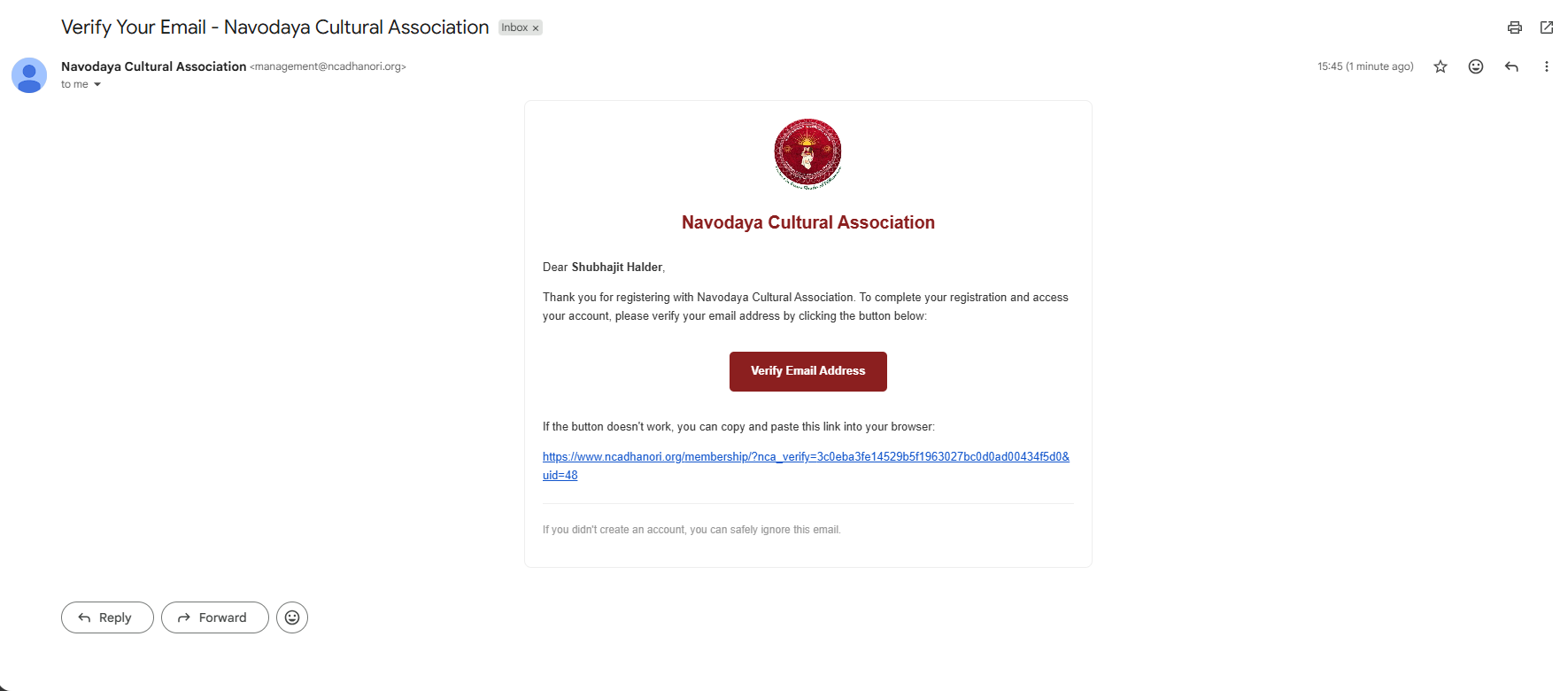
Click on the Verify email address link.
You should again land on Membership – Navodaya Cultural Association
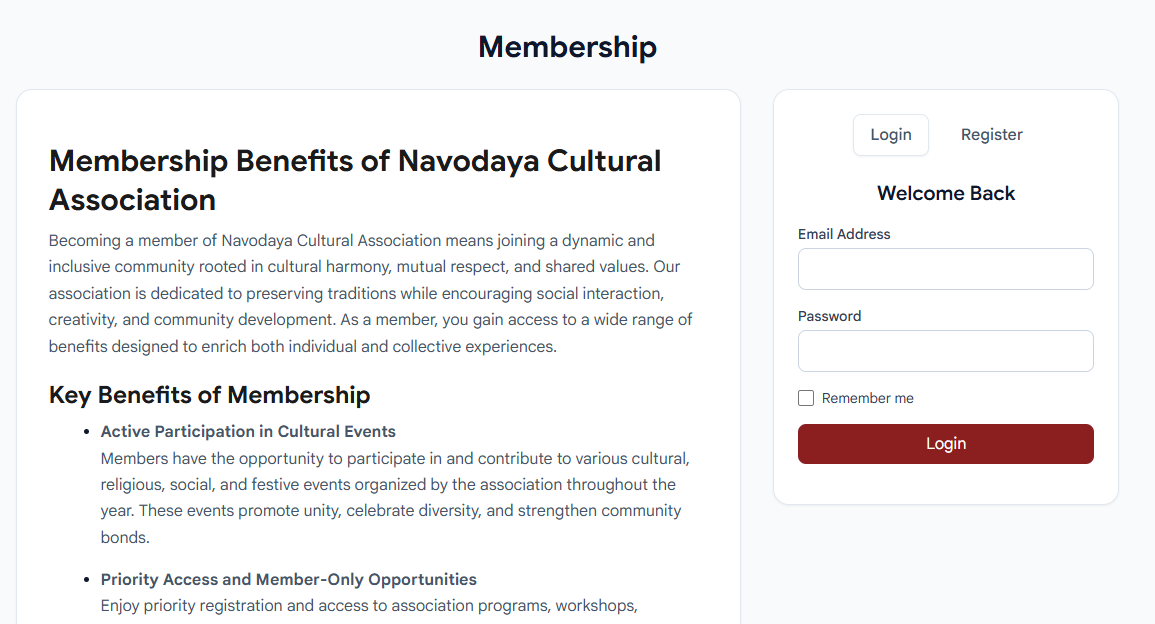
Congratulations! Your email id has been verified.
Once you enter your registered email id and password in the login form, you should land on Member Account – Navodaya Cultural Association
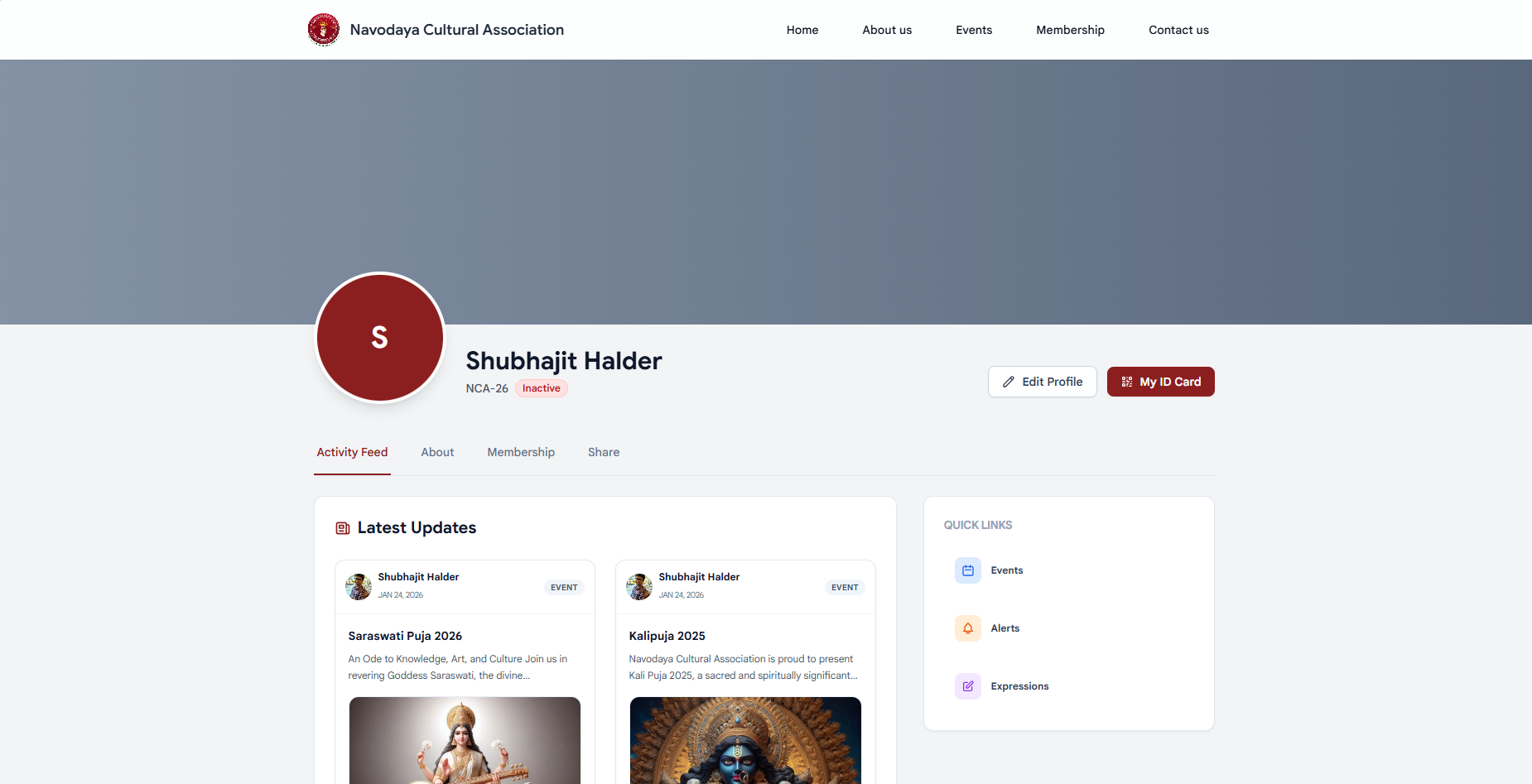
You can see that your status is showing as inactive. It is because your payment is not verified by our admins.
If you already paid for the membership, you have no reason to worry. Just follow the steps below.
Go to the Membership tab and fill up the following fields.
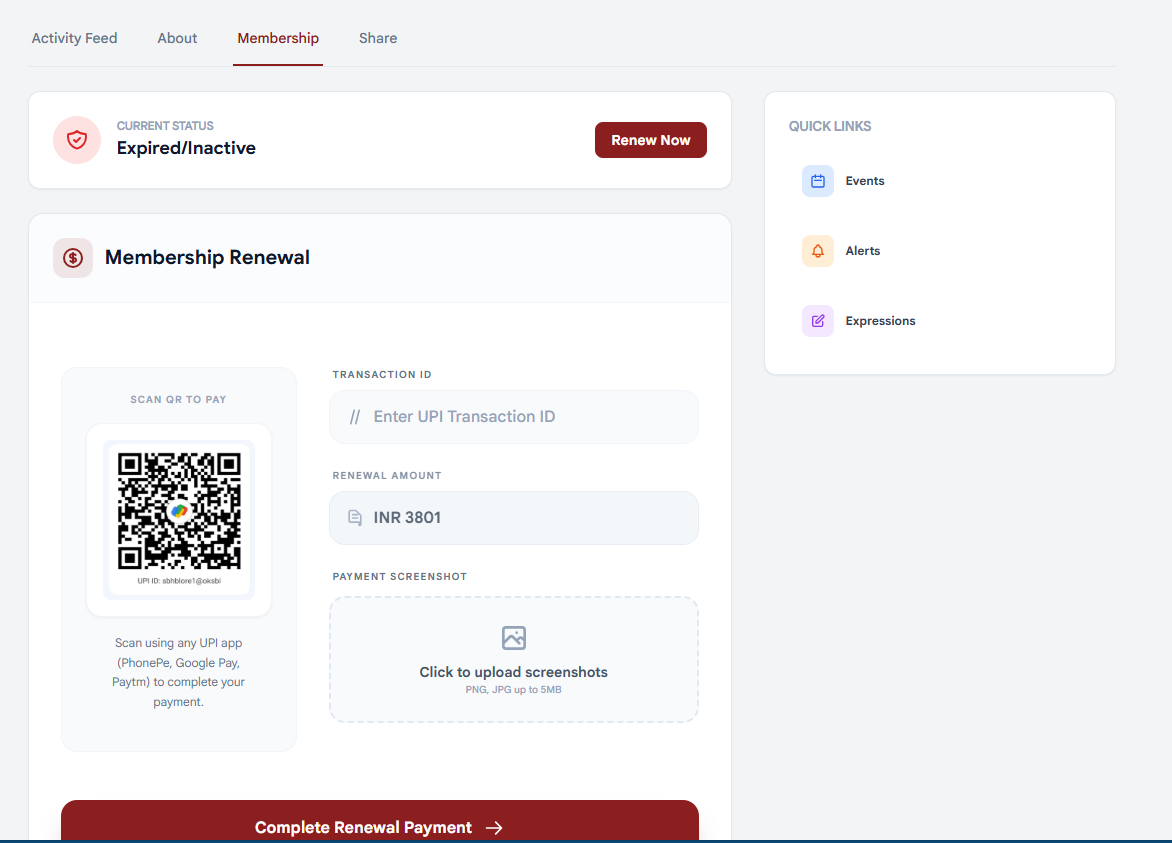
- Transaction id: Gpay/phonepe/paytm. The upi app you have used. Or you can add the actual transaction id also.
- You can see the amount which you have to pay by scanning the QR code you can see in the form. Ignore the payment part if you have already paid.
- Attach your payment screenshots. This is what admins will use to verify your payment.
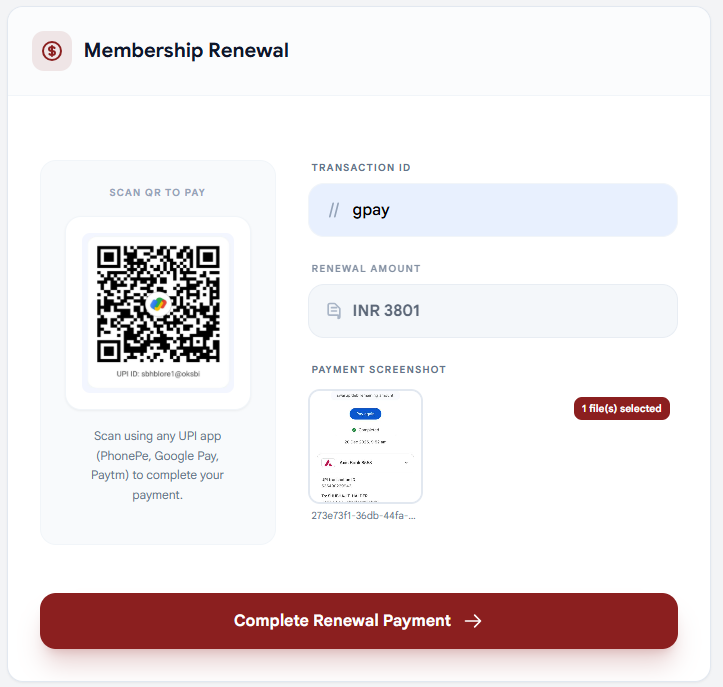
After you fill up the form, you can click on the Complete Renewal Payment button.
After the form submission, your page will refresh and your status will change to Pending Approval.
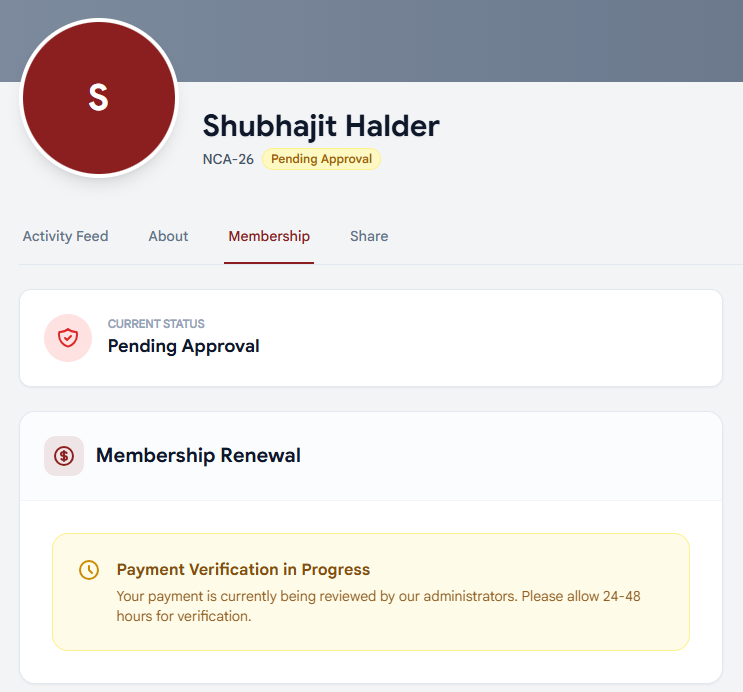
Our admin team will verify your payment and approve your membership. After the approval your profile will be updated with your Active member status.
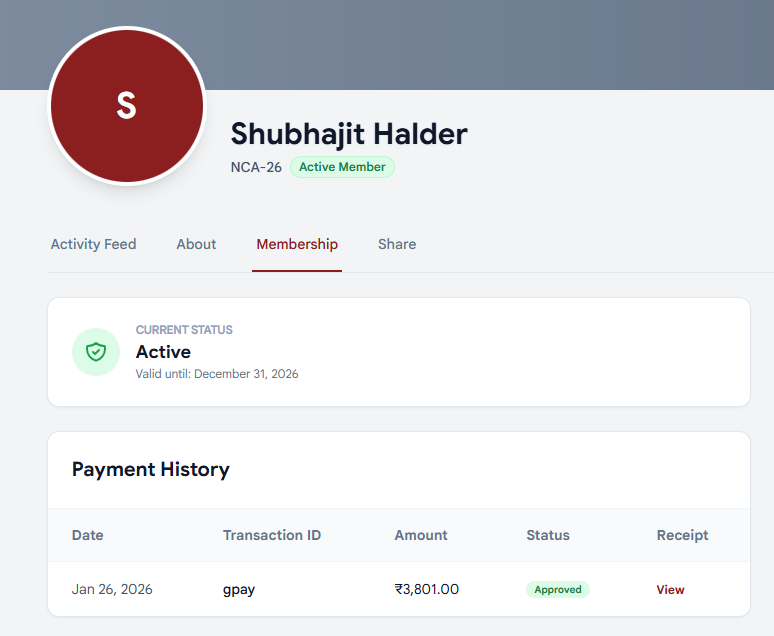
Also you will receive a confirmation email in your registered email id.
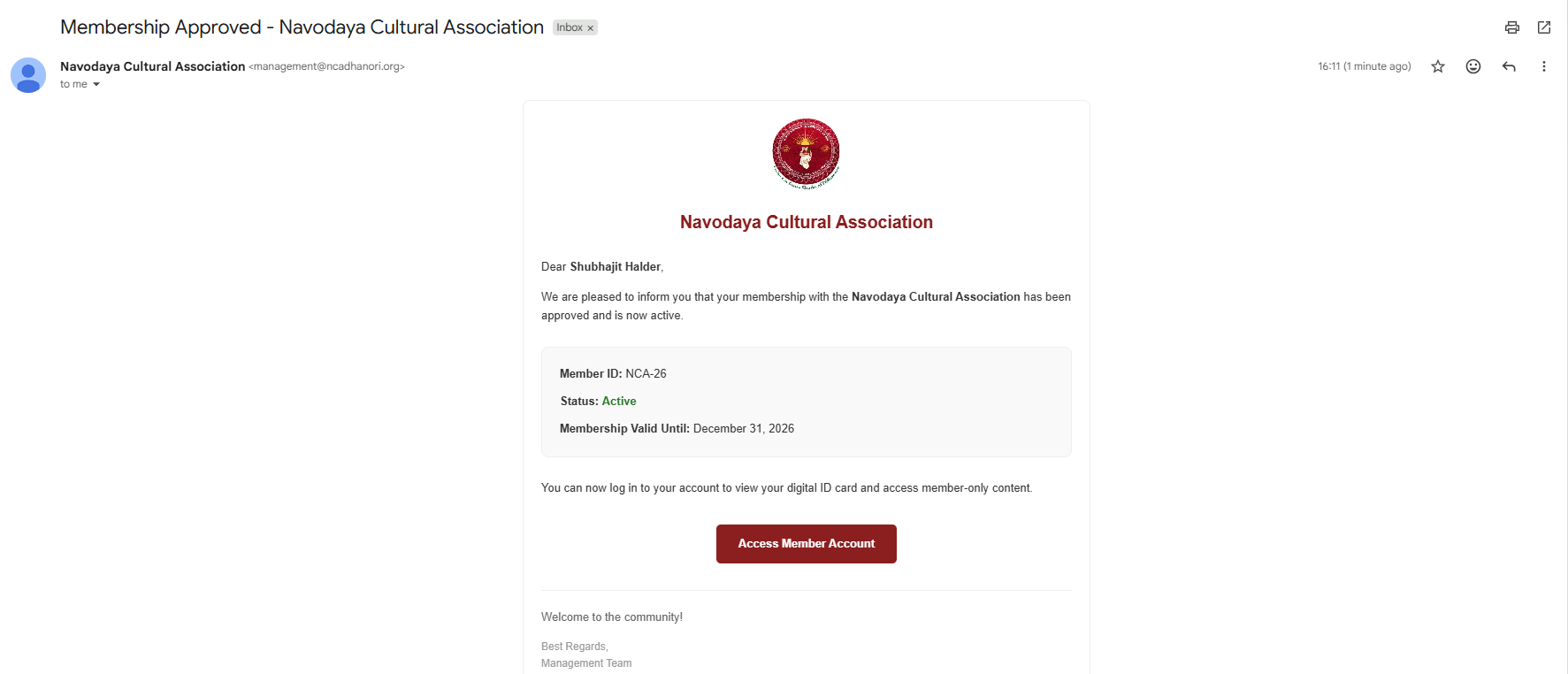
By following the steps outlined above, you can complete your registration on ncadhanori.org quickly and accurately. Make sure all the information you provide is correct before submitting the form to avoid any delays or issues in the registration process. Once your registration is successfully completed, you will be able to stay updated with important announcements, activities, and communications from NCA Dhanori. If you face any difficulties during registration, please contact the concerned authority or website support for assistance.